Big Walk Gestures & Arms
Point, wave, and flail on purpose — the silent vocabulary when proximity chat cannot reach your teammates.
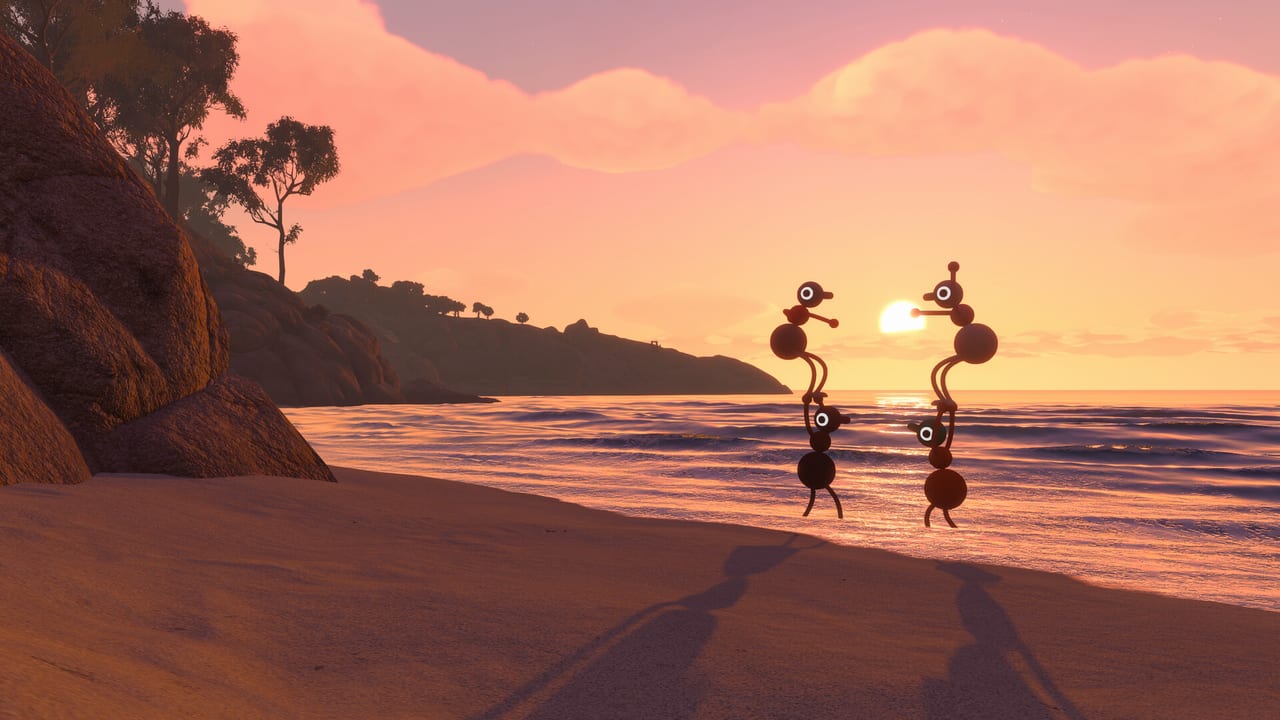
Big Walk advertises itself as a game about teamwork and talking, but House House deliberately builds situations where talking fails: distance, walls, fog, caves, and split-up puzzle lanes. When proximity voice muffles or vanishes, arms become chat. Independent left and right controls — L2/R2 raise and L1/R1 point on PS5 per Console Controls, mirrored on Switch 2 and rebindable on PC Controls — let you conduct teammates like an air-traffic controller without a radio.
This page is a practical gesture vocabulary for crossplay groups. Agree on signals in the tutorial before you need them on a ridgeline.
How independent arms work
Each arm raises and points on its own input. You can:
- Raise left only, right only, or both.
- Point one arm forward while the other hangs down.
- Alternate raises rapidly for attention (the playful flail from previews).
- Combine point + movement to walk while indicating a landmark.
IGN’s preview noted that puzzles rarely force advanced combos early, but the building blocks escalate — one player holding a button while another sprints out of voice range depends on binocular spotters using arm point to confirm success. Gestures are not emote cosmetics; they are coordination tools.
Core signals to agree on as a group
Define these in session zero so PS5, Switch, and PC players interpret them the same way:
Single arm point (hold): “Look there” or “Go that direction.” The pointing player should stand still until heads turn.
Both arms up: “Stop” or “Wait for me.” Useful at cliff edges when someone sprinted ahead.
Both arms forward: “Everyone this way” — a marching directive across open ground.
Rapid alternate wave: “I need help” or “Watch me.” Noisy visually; use sparingly so it stays urgent.
Single arm wave (side to side): “Hello” or “I see you” when regrouping without voice.
Sit gesture: Deliberately sitting on a rock means “rendezvous here” if your group adopts it — optional but memorable.
Point down: “Item here” or “Dig/interact below” when guiding someone to a ground puzzle piece.
Write nothing in stone except consistency. Mixed-platform parties should use gesture names in voice when mics work (“left point at the tower”) and pure visuals when they do not.
When gestures beat voice
Proximity chat fades with distance — that is intentional design, not a bug. Gestures shine when:
- A scout stands on a watchtower with binoculars while runners navigate below.
- Teams split across a foggy forest where voice would spoil immersion or fail technically.
- Walkie-talkies are unavailable and you refuse to break immersion with Discord.
- You need to silence during a puzzle that reacts to sound (where applicable).
- Switch 2 players have thin platform voice and need a universal visual layer.
Megaphones and walkie-talkies extend voice; gestures extend sight. Carry both philosophies.
Pairing gestures with tools
Arms alone do not replace every tool:
Laser pointer: Precision at range — combine with arm point when the laser user must also move.
Flares: “Meet here” at scale — see Landmarks & Getting Unlost and flare timing on the Tools pages when available.
Binoculars: Spotters translate findings into arm point for ground teams.
Whiteboards: Sketch plans when arms are too ambiguous for complex routes.
Cowbells: Audio beacon when line-of-sight breaks — rhythmic shaking means “follow this sound.”
Assign roles so one player is not juggling binoculars, flare, and pointing simultaneously unless your group enjoys chaos.
Crossplay gesture etiquette
Console players often describe L2/R2; PC players use Q/E or mouse buttons. Neutral callouts prevent confusion:
- Say “left point” not “L1.”
- Say “both arms up” not “hold both triggers.”
- Confirm with a nod emote-equivalent — jump once if your group adopts “acknowledged.”
When a Switch player cannot voice clearly, designate them flare captain or bell carrier while PS5/PC players handle directional pointing — play to platform strengths instead of fighting them.
Teaching gestures to new players
In the tutorial showroom:
- Face a partner across the room.
- Left point at an object; partner walks to it without voice.
- Both arms up — partner freezes.
- Partner responds with right point at a return path.
- Repeat at sprint speed, then behind a wall where voice is muffled.
Five minutes saves thirty minutes of “where are you?” later. Link Join Codes Hub guests through this drill before leaving the spawn map room.
Advanced cooperative uses
Preview sessions described holding buttons while runners travel — spotters use binoculars plus arm point to verify the runner retrieved an item. Train spotters to hold point steady until the runner holds the item up for visual confirm.
Large twelve-player groups can assign ** cardinal directors** — one player per compass direction pointing at incoming hazards or paths, reducing dogpiling.
Sitting in a circle at overlooks is a social gesture House House encourages; use it to read Map Hub paper maps from backpacks when a friend opens your pack for you.
Common gesture failures
Ambiguous single arm when two landmarks sit in the same line — step sideways before pointing.
Moving while pointing, causing teammates to chase a shifting target.
Overusing frantic wave so real emergencies look like jokes.
Platform callout mismatch — “Press R2” to a keyboard player.
Abandoning gestures because Discord is easier — valid for accessibility, but you skip designed tension proximity chat creates.
Accessibility considerations
Players with limited shoulder mobility should rebind raise and point to comfortable buttons early via Console Controls or PC remapping. Gestures remain achievable with toggles instead of holds if the game supports toggle modes.
Colorblind or low-vision players benefit from high-contrast landmarks plus laser pointers rather than subtle arm angles alone — pair gestures with tools from Landmarks.
Related pages
Master inputs: Controls Hub. Platform specifics: PC Controls and Console Controls. Online voice setup: Online Requirements. Navigation once signals work: Map Hub.
Frequently Asked Questions
Quick answers to the most common Big Walk questions.
Are arm gestures required to finish Big Walk?
The game is completable without formal signals, but many split-up moments assume non-verbal pointing. Groups that skip gestures often struggle when proximity chat fails.
How do I point on PS5 according to previews?
L2 and R2 raise the left and right arms; L1 and R1 point them forward. The PlayStation Blog hands-on highlighted this as core communication.
Can PC players gesture as easily as console?
Yes with proper rebinds or a controller. Keyboard players need dedicated keys for each arm to match console expressiveness.
What gesture means stop?
Many groups adopt both arms raised. Agree explicitly in the tutorial so nobody interprets it as celebration.
Do gestures work in crossplay?
Yes. Arm animations are visible to all players regardless of platform; only the input labels differ.