Big Walk Console Controls
DualSense and Switch 2 layouts — including independent L2/R2 arms from PlayStation's hands-on preview.
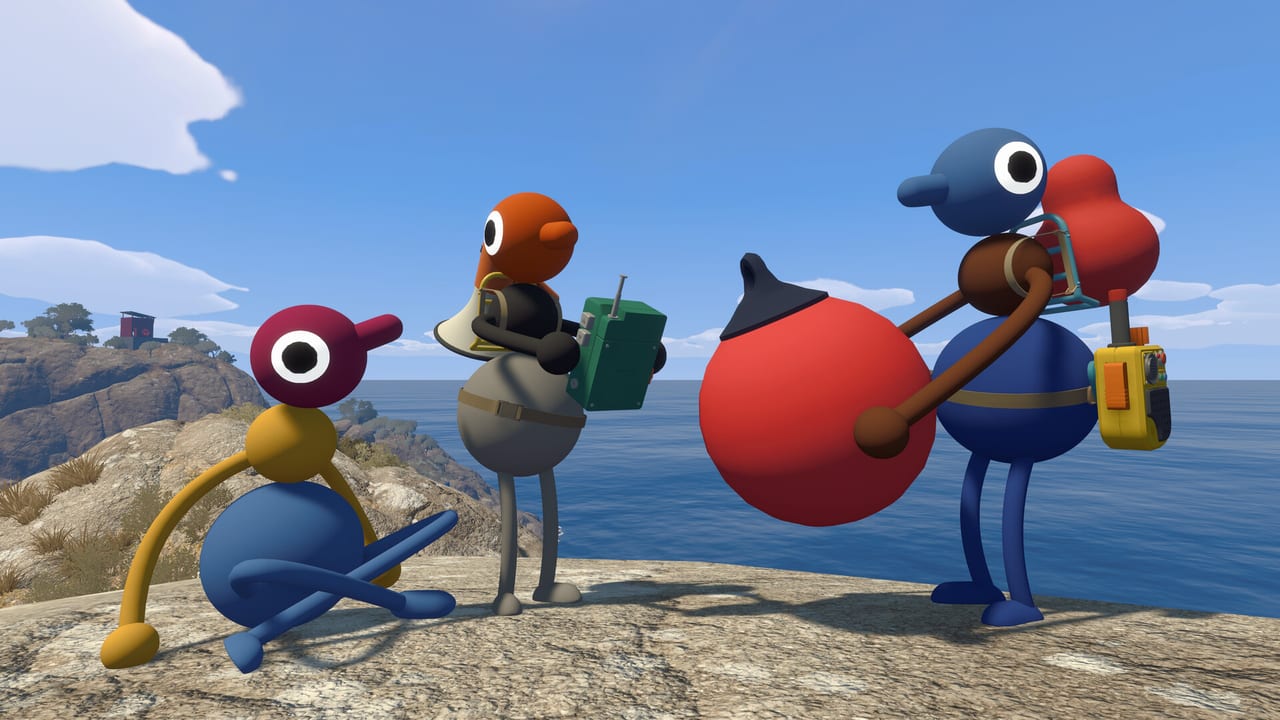
Console players experience Big Walk the way House House showcased it on PlayStation Blog: running through a tutorial showroom, then heading into the island with independent arm controls that turn shoulder buttons into body language. The same design philosophy applies on Nintendo Switch 2, with Nintendo’s shoulder and trigger layout mapping to the same raise-and-point actions. This page documents PS5 and Switch 2 defaults, crossplay notes, and accessibility options.
Pair it with Gestures & Arms so your group agrees on signals before proximity voice drops out.
PlayStation 5 (DualSense) layout
Sony’s March 2026 hands-on report highlighted arm control as the first standout mechanic: L2 and R2 raise the left and right arms, while L1 and R1 point those arms forward. Movement and world interaction follow familiar action-adventure patterns:
| Action | DualSense | Notes |
|---|---|---|
| Move | Left stick | Walk and run by stick deflection |
| Camera | Right stick | Aim arm points with camera |
| Jump | Cross (X) | |
| Crouch | Circle or stick click | Low gaps |
| Sit | D-pad down or dedicated face button | Contextual sit on ledges |
| Grab / interact | Square | Hold for buttons and carrying |
| Throw / release | R2 context after grab | |
| Sprint | L3 (stick click) or hold stick | |
| Left arm raise | L2 | Independent arm — PS Blog highlight |
| Right arm raise | R2 | Independent arm — PS Blog highlight |
| Left arm point | L1 | Hold to point forward |
| Right arm point | R1 | Hold to point forward |
| Tool swap | D-pad or touchpad sectors | Quick item change |
| Push-to-talk | Optional | Check audio settings |
The instinctive part is not memorizing the table — it is discovering that waving, pointing, and frantic flailing become a shared language within minutes. Preview players described mirroring real conversation: one arm raised for attention, both forward to indicate a direction, rapid L2/R2 alternation for “hey look at me.”
Nintendo Switch 2 layout
Switch 2 uses parallel logic with Nintendo button names:
| Action | Switch 2 | Notes |
|---|---|---|
| Move | Left stick | Handheld or docked |
| Camera | Right stick | Pro Controller recommended for long sessions |
| Jump | B | |
| Crouch | Stick click or Y | |
| Sit | D-pad down | |
| Grab / interact | Y or A context | Confirm in tutorial prompts |
| Left arm raise | ZL | Mirrors L2 |
| Right arm raise | ZR | Mirrors R2 |
| Left arm point | L | Mirrors L1 |
| Right arm point | R | Mirrors R1 |
| Tool swap | D-pad |
Joy-Con alone works for two-player local experiments, but online co-op for 2–12 players assumes each person has a full controller. Pro Controller or Joy-Con grip improves reach for shoulder-heavy arm play.
Switch 2 mouse mode exists on native hardware for certain menu interactions; docked groups still use standard controller camera control in the field.
Grabbing, carrying, and co-op physics
Console grab uses face buttons rather than keyboard keys. Holding interact while a partner climbs onto a lifted object is a common early tutorial beat. You can grab teammates — useful for comedy and for reaching ledges when puzzles allow cooperative lifts.
Throwing objects uses trigger release timing; practice in the showroom before throwing tools off cliffs. Inventory limits mean you cannot pull a map from your backpack alone — a friend may need to open your pack, tying controls to Multiplayer Hub etiquette.
Voice on console
PS5 proximity voice works through DualSense mic or headset. PS Plus is required for online play — see Online Requirements. Nintendo Switch Online is required on Switch 2; built-in voice is more limited, so plan walkie-talkies in-game or phone Discord.
DualSense haptics are not required for puzzles but add feedback when interacting with certain objects. Disable if distracting during long sessions.
Rebinding and accessibility
Big Walk supports in-game remapping on consoles per pre-launch materials. PlayStation also offers system-level button assignments via Settings → Accessibility → Custom Button Assignments if L2/R2 fatigue appears during multi-hour holds.
Nintendo system settings allow button remapping globally. Use in-game remaps first so tutorials still display correct glyphs.
PlayStation Access controller users should map raise and point actions to comfortable inputs before joining Join Codes sessions with crossplay guests waiting.
Crossplay control callouts
When PS5 and Steam players mix, avoid saying “press Square” to a PC friend. Use neutral language from Gestures & Arms: “left point,” “both arms up,” “grab interact.” Console players hosting should post Join Codes early while PC guests finish keyboard tutorials.
Switch 2 players in mixed groups may prefer Pro Controller parity with PS5 shoulder layout so L/ZL naming confusion reduces during frantic puzzles.
Online requirements reminder
PS5: PS Plus mandatory. Switch 2: Nintendo Switch Online mandatory. Neither subscription changes the control scheme but both gate online co-op needed to use these inputs with friends.
Console-specific troubleshooting
Arms stuck raised: Release L2/R2 or ZL/ZR fully; some puzzles reset arm state on sit.
Grab conflicts with right arm: Rebind grab or right raise in settings — PS Blog defaults prioritize arms on triggers.
Voice too quiet on PS5: Adjust Big Walk voice slider before PSN party chat overrides.
Switch drift affects pointing: Recalibrate sticks in system settings; drift ruins laser-pointer puzzles.
Session drop when host quits: Expected — host owns save per Host Saves. Controls do not matter if the lobby closed.
Warm-up drill for console crews
In the tutorial: sprint, jump, crouch, sit on a bench, grab and throw, raise L2 then R2 while walking, point L1 at a distant object while a friend watches, swap a tool with d-pad, and carry each other across a short gap. Repeat until muscle memory beats reading the table.
Then open Map Hub — navigation uses the same teamwork vocabulary you just trained.
Frequently Asked Questions
Quick answers to the most common Big Walk questions.
What did PlayStation Blog say about arm controls?
Their hands-on noted L2 and R2 raise each arm independently, and L1 and R1 point them forward — quickly becoming a shared gestural language.
Do Switch 2 buttons match PS5 for arms?
ZL/ZR raise and L/R bumpers point, mirroring PlayStation's trigger and bumper layout on a Pro Controller.
Can I play Big Walk on PS5 without PS Plus?
No for online co-op. Local-only solo is not the design; online membership is required for multiplayer.
Are Joy-Con enough for online co-op?
Each player needs a comfortable controller for arm inputs. Pro Controller or DualSense is strongly recommended over single Joy-Con for long sessions.
Can I remap L2 and R2 on PS5?
Use in-game remapping when available, or PlayStation accessibility button assignments if triggers are uncomfortable.